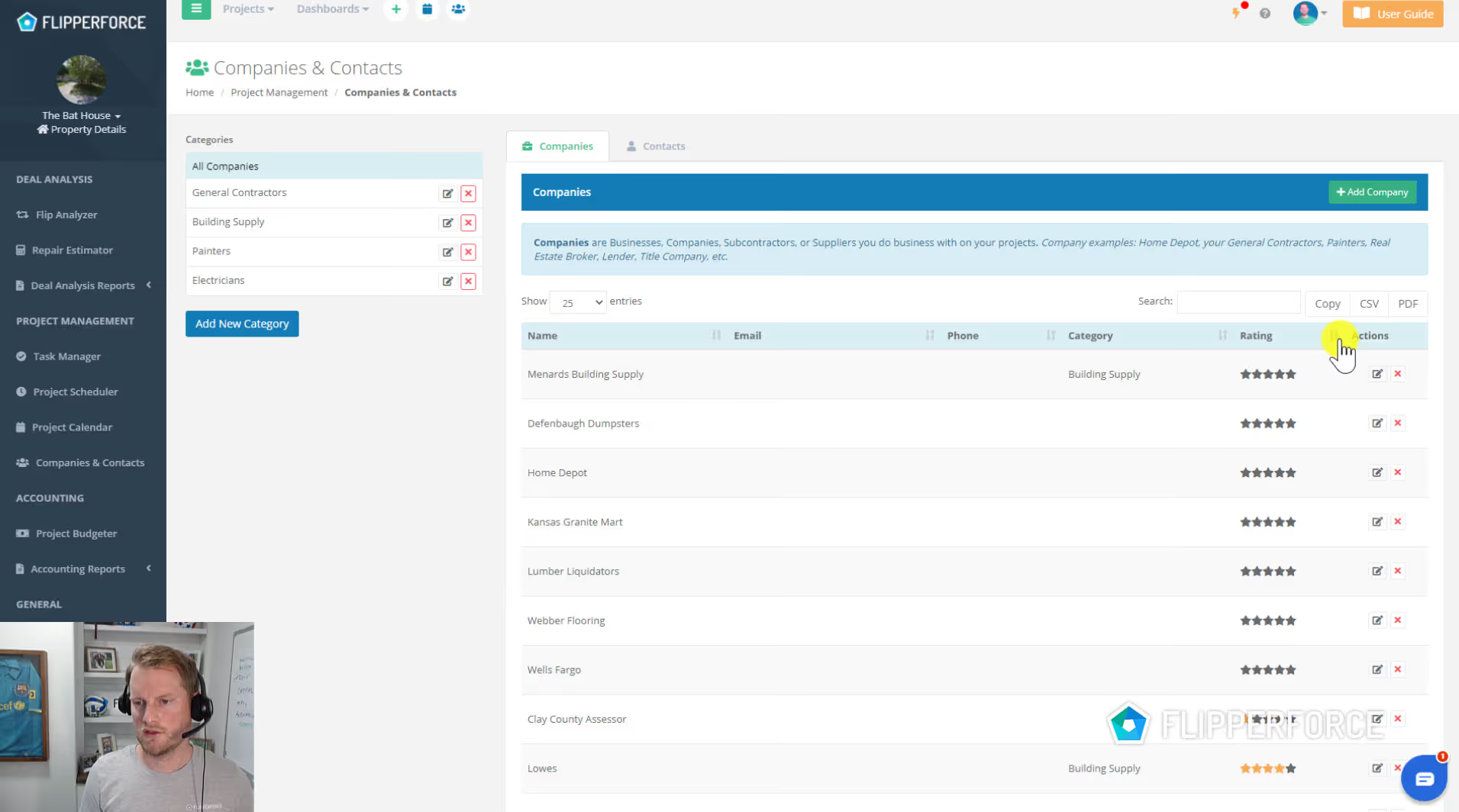
The Companies & Contacts manager is your built-in CRM for your real estate business. It gives you a centralized place to store, organize, and access every contractor, vendor, lender, agent, and business contact you work with across your projects.
Companies & Contacts stores detailed profiles for every company and individual in your network, including contact information, company type, license numbers, insurance details, and a history of which projects they've been involved in. The Tax & Insurance column surfaces W-9 status and color-coded insurance expiration dates directly in the list, so you can spot lapsed coverage before you put someone on a job.
Navigate to Companies & Contacts from the main menu. Add a new company by entering their business name, contact details, and category (contractor, lender, agent, etc.), or use the AI-powered Bulk Company Importer to upload an unstructured CSV, Excel or PDF list and let the AI extract the details for you. Add individual contacts and link them to their company. Assign contractors to project schedule tasks and expenses so their involvement is automatically tracked.
Your contractor and vendor network is one of the most valuable assets in your real estate business. Keeping those relationships organized, including who is licensed, insured, and has a track record on your projects, is critical for scaling efficiently and protecting yourself from liability.
.png)