Disclaimer: FlipperForce does not provide tax, legal, or accounting advice. This report and FAQ are for informational purposes only and should not be soley relied upon for tax compliance. Because IRS rules are complex and subject to change, we strongly recommend consulting with a qualified tax professional or accountant before making business decisions or filing returns.
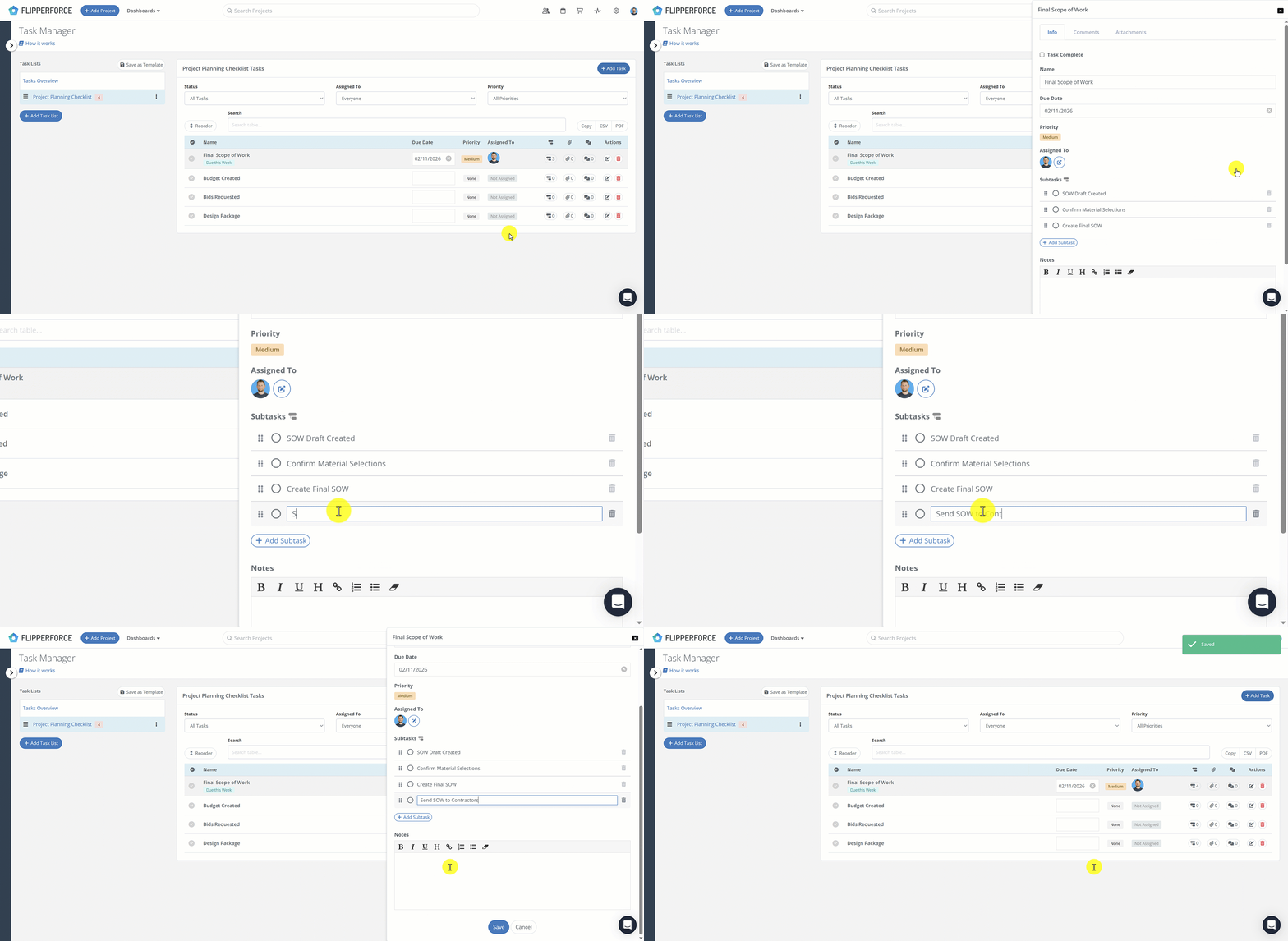
Subtasks allow you to break down large project milestones into smaller, actionable checklists. While our Task Manager is designed to track your high-level project schedule, subtasks handle the "boots-on-the-ground" details that would otherwise clutter your view.
How it Works:
Open a Task: Click on any task in your project or template.
Add Your Details: Scroll to the new "Subtasks" section and type in your specific to-dos (e.g., "Collect keys," "Change locks," "Set thermostat").
Organize: Use the drag-and-drop handles to reorder your checklist based on priority.
Template it: Any subtasks added to a Task Template will automatically populate every time you start a new project.