Knowledge Base

Learn How to Flip Houses Using FlipperForce's Powerful Software Tools and Features!

Where can I find the receipts I've uploaded from my phone?

Disclaimer: FlipperForce does not provide tax, legal, or accounting advice. This report and FAQ are for informational purposes only and should not be soley relied upon for tax compliance. Because IRS rules are complex and subject to change, we strongly recommend consulting with a qualified tax professional or accountant before making business decisions or filing returns.

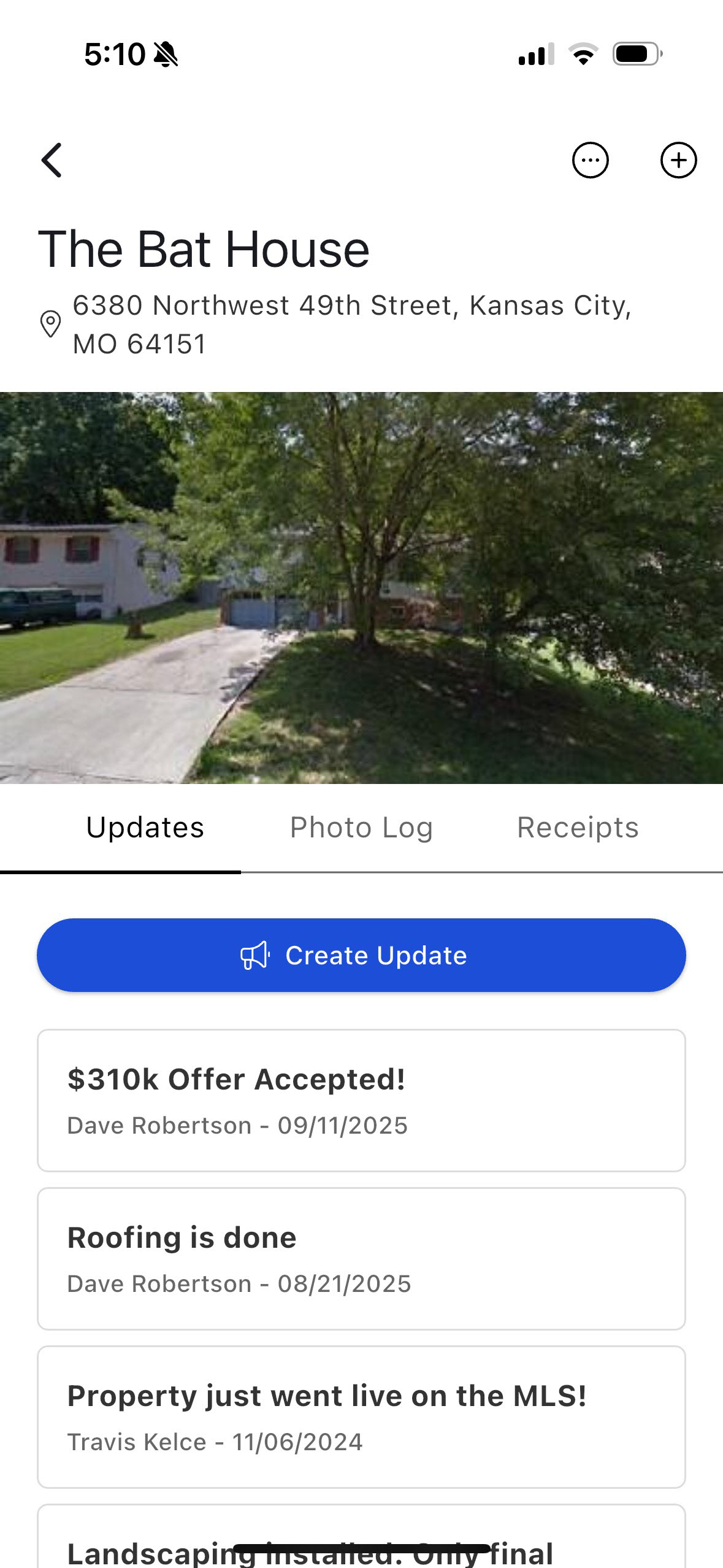
Once you upload a receipt, it will be listed in the mobile app under the Receipts tab.
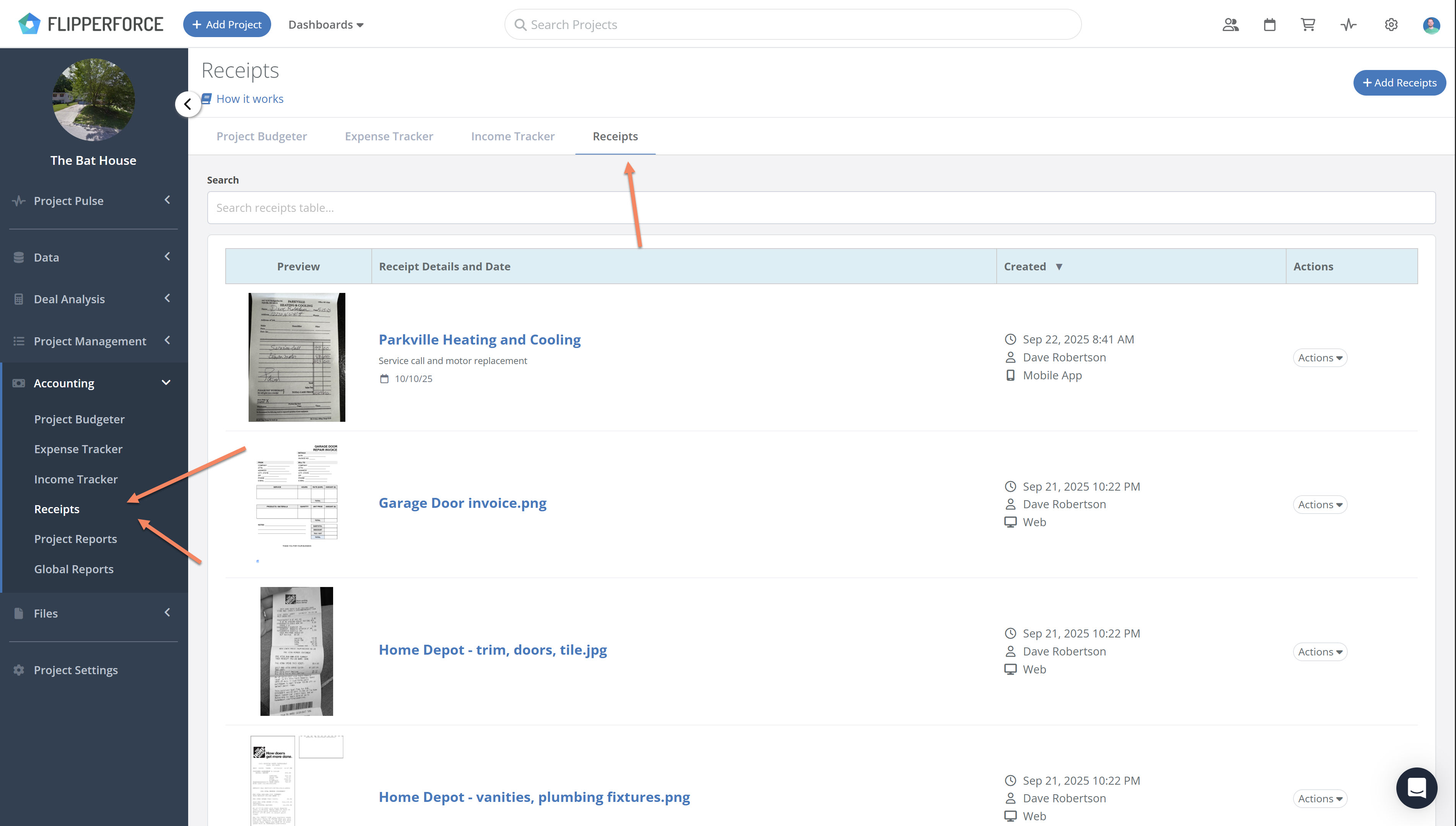
The uploaded receipts are also immediately available in the web app. Within the web app, you will find the receipt within the specific project, in the sidebar under the Accounting section at "Receipts Inbox."
Related Video

Avatar photoAvatar photoAvatar photo

Still Have Questions?

Can’t find the answer you’re looking for? Please chat to our friendly team.