
We’ve launched two new reports to make reconciling your FlipperForce data against your bank and credit card statements seamless.
This report consolidates every transaction across your entire portfolio into a single master list. It is particularly useful if you use one business bank account or credit card to pay for expenses across multiple projects. By using the Account Filter, you can match your charges line-by-line against your bank statement without having to jump between individual project screens.
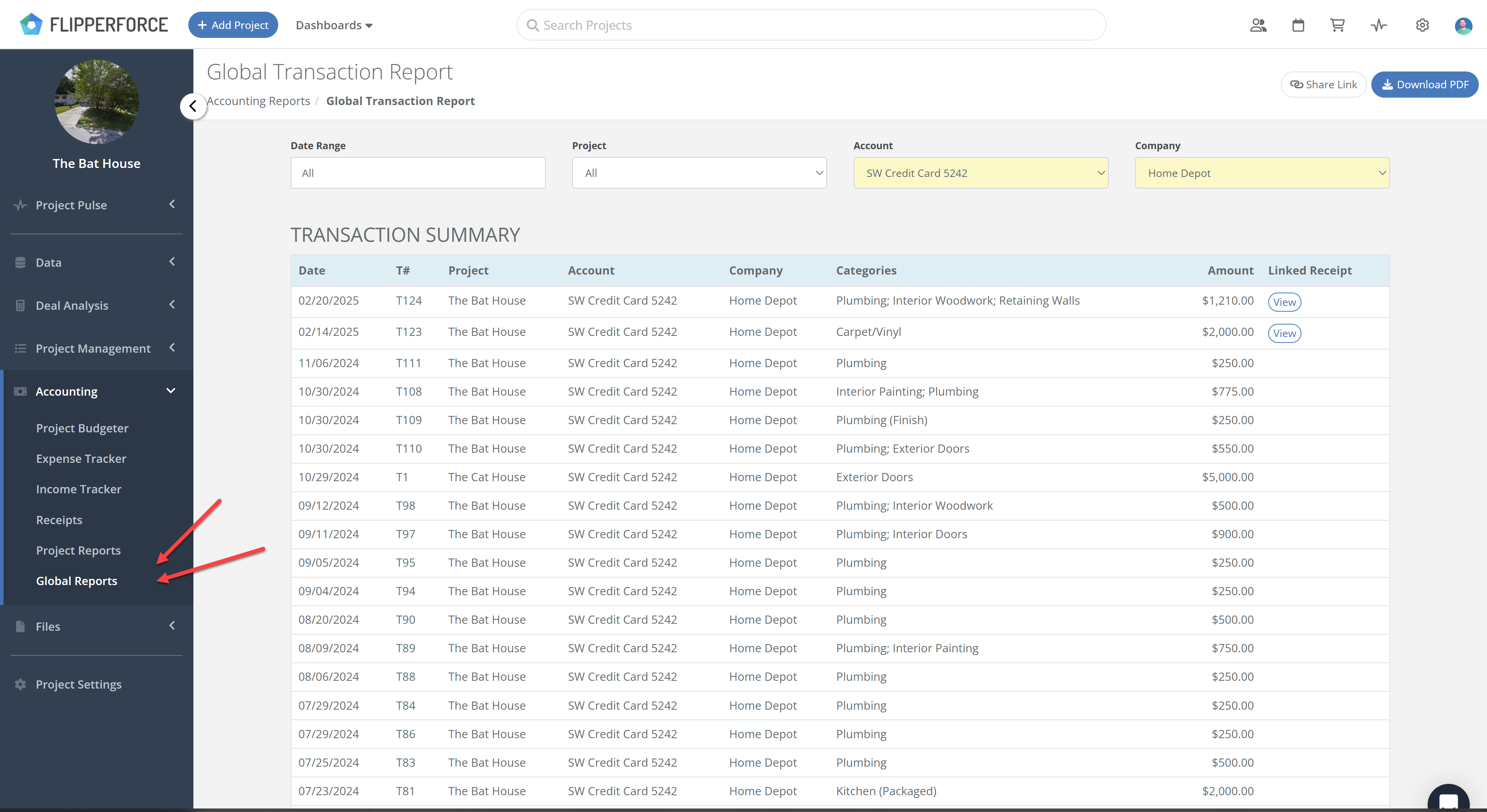
This provides a high-level view of all financial activity for a single project. It is the quickest way to audit a specific project's health and ensure every expense is accounted for.
How It Works
You can find these new reports in two locations:
Both reports include filters at the top to help you drill down by Financial Account (Bank/Credit Card), Date Range, and Company.
Reconciliation is the only way to ensure your Final Profit Statement is 100% accurate. By matching FlipperForce expenses to your actual bank activity, you catch duplicate charges, identify missing receipts, and ensure your books are 100% accurate for tax season and business partners.
.png)
.png)
.png)
.png)